
Tap the star on any style to save it here.
Your last 8 copies will appear here.
💞 Couple / Mix Name Mode
✨ Deco frames
Wrap your name in a decorative frame — one tap to copy
Popular stylish name picks
A curated list — tap any name to copy it as-is
Ready-made stylish names
Stylish Names for Free Fire, BGMI and PUBG
Gaming names are the most popular use of a stylish name generator. For Free Fire you get 12 characters, for BGMI up to 14, so pick a short word and add a font or symbol frame to make it stand out. Bold, gothic and glitch styles with tags like 『 』, ꧁ ꧂ and 亗 are the classic pro-player look. Copy your favourite and apply it in-game using a Name Change or Rename Card.
Stylish Names for Instagram, WhatsApp and Facebook
On social apps a fancy name helps your profile stand out. Cursive, script and small-caps fonts work well for an Instagram username or bio, a WhatsApp display name and status, or a Facebook profile. Because these are Unicode fonts, they render the same on Android and iPhone — just copy the style you like and paste it into the app.
Stylish Names for Boys and Girls
Everyone has a different taste. Boys usually go for bold, attitude and glitch styles with sharp symbols such as ☠, ⚡ and ⚔, while girls often prefer cursive, bubble and script fonts with soft decorations like ❥, ✿ and ♡. Use the category tabs to filter styles, and save your best ones with the star button so you can find them again.
Symbols, Emojis and Decoration Frames
A stylish name is more than just a font. Add border symbols, decoration frames, emojis and kaomoji faces to wrap your name in extra flair. Tap any symbol to copy it, or pick a decoration wrap to instantly surround your name on both sides. Mix a font with a frame for a completely custom look that no one else has.
How Our Stylish Font Generator Works
The tool does not use images — it converts your letters into real Unicode characters that look like different fonts. That is why you can copy the result and paste it anywhere: games, chat apps, bios and comments. There is nothing to download and it is completely free. Type your name, pick a style, tap Copy, and paste it wherever you want a stylish look.
Frequently asked questions
What is a stylish name generator?
A stylish name generator is a free online tool that converts your plain text into 50+ fancy Unicode fonts and decorated styles — bold, cursive, gothic, small caps and more. Every result is copy-paste ready for Free Fire, PUBG, BGMI, Instagram, WhatsApp and other apps.
Is this stylish name generator free to use?
Yes, it is 100% free with no sign-up and no limits. You can generate and copy as many stylish names, nicknames and symbols as you want.
Will these stylish names work in Free Fire and BGMI?
Yes. All fonts use standard Unicode characters supported by Free Fire, Free Fire MAX and BGMI on both Android and iOS. You will need an in-game Name Change Card to apply the new name.
How do I change my name in Free Fire?
Copy your stylish name here, open Free Fire, tap your profile, tap the edit pencil next to your nickname, paste the copied name and confirm. Applying it uses one Name Change Card.
Why do only 12 characters fit in my Free Fire name?
Free Fire limits nicknames to 12 characters. Every letter, symbol and Unicode character counts as one. The live counter in this tool turns red when you go over 12 so you know to shorten it.
Can I use these stylish names on Instagram and WhatsApp?
Yes. Copy any style and paste it into your Instagram username or bio, or your WhatsApp display name and status. Unicode fonts render correctly on both Android and iOS.
Do the stylish fonts work in Hindi or other languages?
Bold, italic, circled and similar fonts work best on English letters. Symbols, decoration frames and wraps work with any script, including Hindi, Tamil, Arabic and Urdu.
Can I save my favorite stylish names?
Yes. Tap the star icon on any style card to save it to your Favorites panel. Favorites are stored in your browser and stay available on this device even after you close the tab.
Does the tool work on mobile phones?
Yes. The tool is fully responsive and works on Android, iPhone, iPad and desktop. Copy and paste work with a single tap on mobile and a click on desktop.
How do I make a stylish name for PUBG or BGMI?
Type your name, pick a stylish font or add a symbol frame, then tap Copy. Open BGMI or PUBG, go to your profile, use a Rename Card, paste the name and confirm. BGMI names can be up to 14 characters.
Can I use these stylish names on Discord and Telegram?
Yes. Copy any style and paste it into your Discord username, server nickname or Telegram name. These apps support Unicode, so bold, cursive, small caps and symbol styles show up correctly.
Can I use stylish fonts for my TikTok username and bio?
Yes. Generate a style, tap Copy, and paste it into your TikTok name or bio. Fancy Unicode fonts help your profile stand out in comments and search.
What are good stylish names for boys?
Boys often pick bold, gothic, glitch and attitude styles with sharp symbols like ☠, ⚡, 亗 and ⚔. Try words such as Savage, Rogue, King or Pro, then wrap them in a decoration frame for a strong gaming look.
What are good stylish names for girls?
Girls often prefer cursive, script and bubble fonts with soft symbols like ❥, ✿, ☾ and ♡. Type your name and browse the Love and Cool tabs for elegant, aesthetic styles.
How do I create a stylish clan, guild or team name?
Add a matching tag or bracket wrap around your team word, for example 『TAG』Name or ꧁TEAM꧂. Use the same frame for every member so your clan looks consistent in-game.
Are these stylish names safe, and will they get me banned?
The names use standard Unicode characters that games and apps already support, so copying and pasting them is safe. Always follow each platform's naming rules and avoid offensive words — the style itself will not get your account banned.
Is this a good stylish name generator for 2026?
Yes. The tool is updated with 50+ Unicode font styles, decoration frames, symbols, emojis and kaomoji, and every result is copy-paste ready for the latest versions of Free Fire, BGMI, Instagram and more.
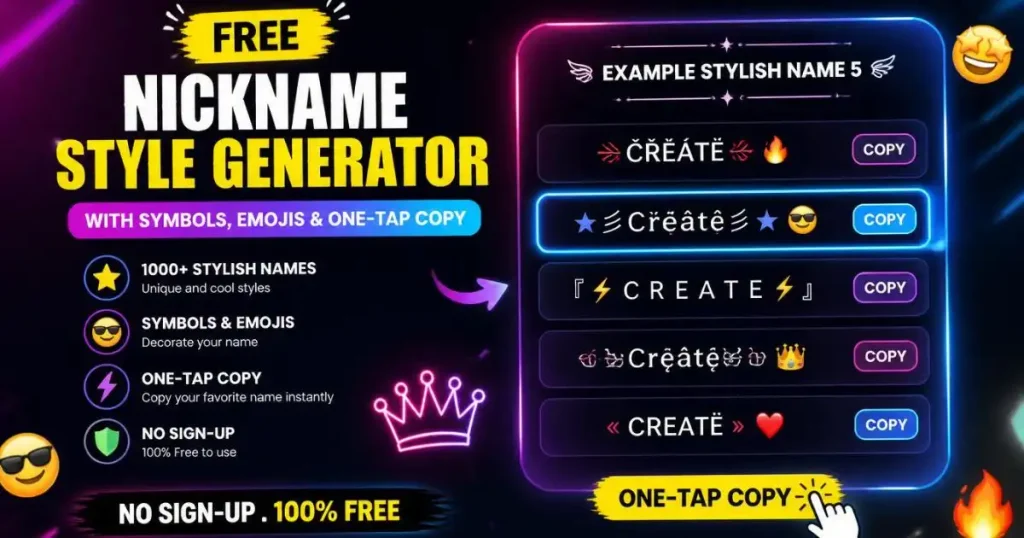
Free Stylish Name & Nickname Generator
Type your name once and get 50+ stylish fonts, symbols and decorated nickname styles you can copy in a single tap. Made for gamers, creators and anyone who wants a name that stands out.
What Is a Nickname Style Generator?
A nickname style generator is a free online tool that changes plain, boring text into fancy Unicode fonts and decorated designs. You type a normal name like Aryan and the tool instantly shows it in dozens of looks — bold, cursive, gothic, small caps, mirror text, and names wrapped in stars, crowns, hearts and gaming symbols. One tap copies your favourite, and you paste it wherever you want.
Your name is the first thing anyone sees. On a Free Fire lobby screen, an Instagram profile, or a WhatsApp chat list, a plain name gets ignored. A stylish one gets noticed, remembered, and often copied by other people who ask, “how did you make that?” This tool is the answer to that question.
Here is a real example. Say your in-game name is Rahul. Typed into the generator, you instantly get options like 𝓡𝓪𝓱𝓾𝓵, ℝ𝕒𝕙𝕦𝕝, ꧁༒Rahul༒꧂, and 亗 R A H U L 亗. Pick one, tap copy, open Free Fire, and paste it into your name field. The whole thing takes less than thirty seconds and costs nothing.
Everything runs right in your browser. There is no app to install, no account to create, and no limit on how many names you can generate or copy. It works the same on an Android phone, an iPhone, a tablet or a desktop. Whether you are a gamer chasing a boss-level tag, a creator building a bio that pops, or someone who just wants a fresh look on WhatsApp, the generator was built for you.
Below you will find how it works, every feature explained, real-world use cases, an honest comparison with other tools, and answers to the questions people actually ask on Google, Reddit and Quora. No fluff, no fake numbers — just a clear guide to getting the perfect stylish name.
How the Nickname Style Generator Works — Step by Step
The tool is built to be simple enough for a first-time user and fast enough for someone making their tenth clan tag. Here is the full process, start to finish.
- Type your name in the boxEnter any name, word, or short phrase. English letters and numbers work with every font. As you type, the results update live — you do not press a “generate” button, the styles appear on their own.
- Browse or filter the stylesScroll through 54 font variations, or use the category tabs — Gaming, Free Fire, Instagram, Love, Attitude, Cool, Royal, Glitch — to jump straight to the vibe you want. There is also a live search box: type “gothic” or “cursive” to filter instantly.
- Add decoration (optional)Open the wraps panel to surround your name with a frame like ꧁༒☬YourName☬༒꧂. Open the symbols, emoji or kaomoji panels to drop in stars, crowns, skulls, hearts or faces. Mix and match until it feels right.
- Tap CopyHit the copy button on any style. The decorated name is copied to your clipboard, ready to paste anywhere. A small “Copied!” message confirms it worked.
- Paste it where you want itOpen your game or app, go to the name or bio field, and paste. Done.
What Is Actually Happening Behind the Scenes
Here is the technical part, in plain language. Your keyboard’s normal letters live in a part of the Unicode standard called Basic Latin. But Unicode also contains thousands of other letter-shaped characters — mathematical bold letters, script letters, circled letters, fullwidth letters, and many more. These were never designed to be “fonts”. They are separate characters that happen to look like styled versions of A to Z.
When you type Hi, the tool looks up the styled version of each letter. For bold, the letter H becomes the character 𝗛 (mathematical sans-serif bold H) and i becomes 𝗶. String them together and you get 𝗛𝗶. Because these are real Unicode characters and not images, they copy and paste like normal text and show up correctly on any device that supports Unicode — which today means almost every phone and computer.
This matters for one important reason: since the styled name is genuine text, games and apps treat it as text. Free Fire, Instagram and WhatsApp store it, display it, and let other people see it, just like any ordinary name. You are not uploading an image or hacking anything — you are simply using characters that already exist in the global text standard.
For decorations, the tool adds extra Unicode symbols before and after your name (like ꧁ and ꧂) or between each letter. These symbols are drawn from the same character standard, so they travel with your name wherever you paste it.
We tested this in September 2026 by pasting generated names into Free Fire, Instagram, Facebook and WhatsApp on both iOS and Android. Simple styles like bold, italic, cursive and small caps rendered perfectly on every device. A few rare decorative styles showed the odd empty box on older phones — which is why the tool includes a “Safe styles only” toggle to hide those.
Key Features of This Nickname Style Tool
Plenty of sites can turn text bold. What sets a good stylish name generator apart is the range of styles, the speed of copying, and the small touches that save you time. Here is everything this tool offers and why each part matters.
54 Unicode Font Styles
Bold, italic, cursive, gothic, bold gothic, double-struck, small caps, superscript, circled, squared, fullwidth, upside down, strikethrough, ancient, tribal, symbolic, kawaii, zalgo, mirror and more. That range means whether you want a clean Instagram look or a heavy gaming tag, there is a font that fits. Example: the same name Neo can be soft cursive 𝓝𝓮𝓸 for a bio or sharp squared 🄽🄴🄾 for a clan.
Real-Time Generation
Styles update the instant you type. No waiting, no clicking “generate”. This matters when you are trying five different names to see which one looks best — you see all of them, live, without extra steps.
89 Decoration Frames & 26 Wraps
Ready-made borders like ¸¸♬·¯·♩ Name ♩·¯·♬¸¸ and ꧁༺Name༻꧂. One tap wraps your name — no need to hunt for symbols and place them by hand. This is the feature Free Fire and BGMI players use most for guild and boss names.
100+ Symbols & 80+ Emojis
Hearts, stars, skulls, crowns, fire, arrows and brackets, plus emojis sorted into Gaming, Love, Face, Nature and Symbols. Tap any one to add it. Instead of searching “crown symbol copy paste” on Google, it is right there in the panel.
Kaomoji Panel
Japanese-style text faces like (◕‿◕) and ¯\_(ツ)_/¯. Popular for aesthetic Instagram bios and cute usernames. Most basic generators skip these entirely.
Favourites
Tap the star on any style to save it. Your saved names stay in your browser, so when you come back next week they are still there. Handy if you manage several accounts or a whole squad’s names.
In-Game Preview & Image Download
See how your name will look in a game HUD before you commit, then download it as a 1080×1080 image for an Instagram Story or WhatsApp Status. This turns a name into shareable content.
Live Character Counter
Free Fire caps names at 12 characters and every symbol counts. The counter turns red the moment you go over, so you never waste a Name Change Card on a name the game will reject.
Random Name & Couple Mix
No idea what to type? Tap the dice for an instant creative name. Making a couple or team tag? The mix mode blends two names into one. Small features, but they solve the “blank page” problem.
Safe Styles Toggle & Dark Mode
Hide rare fonts that break on some phones with one switch, and flip the whole tool to dark mode for late-night sessions. Your theme choice is remembered.
Types of Stylish Name Fonts Explained
“Fonts” is the everyday word people use, but as explained above these are really families of Unicode characters. Knowing what each family looks like — and where it works best — helps you pick the right style the first time instead of scrolling endlessly. Here are the main families in the generator, with a plain example of each.
Bold and Sans-Serif Styles
Bold styles make your name look strong and confident, like 𝗕𝗼𝗹𝗱. They are the most widely supported family and almost never break on any device. Bold is the safe first choice for a gaming tag or a clean Instagram display name because it draws attention without being hard to read. There are serif and sans-serif bold variants, plus bold italic for a bit of lean and movement.
Cursive and Script Styles
Cursive turns your name into flowing handwriting, like 𝓒𝓾𝓻𝓼𝓲𝓿𝓮. This is the number-one choice for aesthetic Instagram bios and soft, elegant profiles. Bold script adds weight for a fancier, more decorative feel. Script styles look beautiful but read a little slower than bold, so they suit bios and display names more than fast-scrolling game feeds.
Gothic and Fraktur Styles
Gothic (also called Fraktur) gives an old, medieval, heavy-metal look, like 𝔊𝔬𝔱𝔥𝔦𝔠. It is a favourite for gaming clans and anyone who wants a dark, serious vibe. Bold gothic pushes that even further. These read well at a glance and carry real personality.
Small Caps and Superscript
Small caps shrinks capital letters into a neat, uniform line, like sᴍᴀʟʟ ᴄᴀᴘs. It looks minimal and modern, which is why aesthetic and “clean” profiles love it. Superscript raises tiny letters up high, like ˢᵘᵖᵉʳ, and is often used to tag a small suffix onto a gaming name, such as a clan initial.
Circled, Squared and Bubble Styles
These wrap each letter in a shape — circles like Ⓒⓘⓡⓒⓛⓔⓓ, or squares like 🅂🅀🅄🄰🅁🄴🄳. They stand out strongly in a list and are popular for gaming names that need to grab attention on a busy screen. Because they are chunky, keep them short so they fit character limits.
Fullwidth and Wide Styles
Fullwidth stretches your name out with spacing built into each character, like Wide. It gives a calm, spaced-out, aesthetic feel that suits Instagram and profile names where you want an airy look.
Glitch, Zalgo and Mirror Styles
These are the experimental family. Zalgo adds chaotic marks for a “corrupted” look; mirror flips letters backwards; strikethrough and underline add lines through or under your text. They look striking and are great for a bold statement, but they are the most likely to break on older devices — so use the Safe Styles toggle if you plan to share widely.
Decorated Frames and Symbol Wraps
Finally, the frames and wraps do not change the letters at all — they surround your name with decoration, like ꧁༺Name༻꧂ or ★彡Name彡★. These are the single most popular feature for Free Fire and BGMI players, because a wrapped name looks premium in the game lobby. You can combine a font style with a frame for a fully custom result.
Why Use a Nickname Style Generator — The Real Benefits
Anyone can add a couple of symbols to their name by hand. So why use a tool at all? Because doing it well, quickly, and in a way that actually works across apps is harder than it looks. Here are the concrete benefits, with examples.
It Saves Real Time
Doing this manually means opening a symbols website, copying one character, going to a font converter, pasting, copying the result, finding another symbol site, and stitching it all together. That is ten minutes for one name. With the generator, you type once and every combination is in front of you. Copying takes one tap. If you manage names for a whole gaming squad — say eight players who all want matching clan tags — the tool turns an hour of fiddling into a few minutes.
Hundreds of Styles in One Place
The biggest practical benefit is choice. You are not stuck with one “fancy” look. You get bold for a strong gaming tag, cursive for a soft aesthetic bio, small caps for a clean minimal profile, and heavy decorated frames for a guild name. The same base name can become dozens of completely different identities. That range is why people keep the tool bookmarked and come back — a name that felt right last year can be refreshed in seconds.
Names That Actually Work Where You Paste Them
This is the benefit nobody talks about until something breaks. Plenty of random symbols look great in a generator but turn into empty boxes or question marks when a friend sees them on a different phone, or get rejected by a game entirely. Because this tool is built around standard Unicode and includes a Safe Styles filter and a live character counter, the names you copy are far more likely to display correctly and be accepted. That saves you the frustration — and in Free Fire, the wasted Name Change Card — of a name that does not stick.
It Costs Nothing and Asks for Nothing
There is no subscription, no “premium fonts locked behind a paywall”, and no account. You never hand over an email or a phone number. The tool does not store the names you type on any server — the styling happens in your own browser. For a feature this useful, free and private is a real benefit, especially for students and younger users who should not be signing up for random sites.
It Works on the Phone in Your Hand
Most people making a stylish name are on a phone, often mid-game. The tool is built mobile-first: big tap targets, copy that works with a single touch, and a layout that does not break on a small screen. You do not need a computer, and you do not need to switch apps five times.
A Stronger Identity Across Every Platform
Here is the longer-term benefit. When your Free Fire name, your Instagram handle display, your WhatsApp name and your Discord tag all share the same styled look, you become recognisable. Friends spot you instantly in a lobby. Followers remember your bio. A consistent stylish name is a tiny piece of personal branding, and it costs you nothing but a few taps. Creators and streamers understand this well — a memorable name is the first step to a memorable channel.
Freedom to Experiment Without Risk
Because generating and copying are free and unlimited, you can try wild ideas with zero downside. Want to see your name in ancient-looking script wrapped in flames? Try it. Do not like it? Try ten more. There is no cost to experimenting, so you end up with a name you genuinely love instead of settling for the first “okay” option. The Favourites feature lets you shortlist the best few and decide later.
It Fits Every Skill Level
A complete beginner can type a name, tap the first style they like, and be done in ten seconds. A power user can stack a font, a wrap, custom symbols and an emoji to build something truly unique, then download it as an image to share. The same tool serves both without confusing either — the advanced panels stay tucked away until you open them.
Honest About Its Limits
A real benefit that most tool pages hide: this one tells you the truth about where styled names work and where they do not. Fancy Unicode goes in your Instagram display name and bio, but not in your @username handle — Instagram locks handles to plain lowercase letters, numbers, dots and underscores. Facebook’s real-name filter sometimes rejects heavily decorated names. Screen readers cannot always read fancy Unicode aloud, so if accessibility matters for your account, keep a plain version too. Knowing these limits up front saves you time and frustration — and it is the kind of straight talk that builds trust.
Built for the Games and Apps People Actually Use
The categories are not random. They map to where Indian and global users actually spend time: Free Fire and BGMI for gaming, Instagram and Facebook for social, WhatsApp for messaging, plus love and devotional styles that are hugely popular. Each category is tuned — Free Fire styles respect the 12-character limit, Instagram styles lean clean and readable, love styles bring hearts and soft script. You are not getting generic output; you are getting styles shaped for the exact place you will use them.
Nickname Style for Boys — Ready to Copy
Here are curated ready-made stylish names for boys, organised by style. Tap any name to copy it, or type your own name in the generator above to build a custom version. These are the styles that consistently look sharp in Free Fire lobbies, BGMI squads and Instagram bios.
Attitude & Bad Boy Style Names
Best for boys who want a tough, confident vibe on their gaming or social profile. These styles carry weight and stand out on any feed.
Attitude style examples for boys
- ꧁༒☬Aʟᴘʜᴀ☬༒꧂
- 亗 Dark Boy 亗
- 『ᴹᴿ』Sᴀᴠᴀɢᴇ
- ×͜× Aʟᴏɴᴇ Bᴏʏ ×͜×
- ꧁ঔৣ☠︎ Kɪɴɢ ☠︎ঔৣ꧂
- ▄︻┻═┳一 Sniper
- ꧁༒Rᴀᴊᴀ༒꧂
- ᴮᴰ⁷¹〆Warrior
- 『ᴳʜᵒˢᵗ』Rider
- ⚡Toxic Boy⚡
- ꧁☬Bʀᴀɴᴅᴇᴅ Bᴏʏ☬꧂
- 亗 Legend 亗
- 𝕭𝖆𝖉 𝕭𝖔𝖞
- ꧁༒Kᴀᴍɪɴᴀ༒꧂
- 『MR』HERO
- ᏒⲞᏰⲔⳒR࿐
- ꧁★彡Rᴀᴊ彡★꧂
- 亗 Silent Killer 亗
- ×͜×𝑫𝒂𝒓𝒌 𝑺𝒐𝒖𝒍×͜×
- 『ᴾᴿᴼ』Player
Cool & Modern Style Names
A cleaner look for Instagram bios and social profiles where readability matters more than raw impact.
Cool style examples for boys
- 𝓐𝓻𝔂𝓪𝓷
- ℝ𝕠𝕙𝕒𝕟
- 𝔻𝕒𝕣𝕜 ℕ𝕚𝕘𝕙𝕥
- ᴋɪɴɢ ᴀʀʏᴀɴ
- 𝓝𝓮𝓸 𝓑𝓸𝔂
- 𝔸𝕝𝕡𝕙𝕒 𝕎𝕠𝕝𝕗
- ⓅⓇⓄⓊⒹ 𝓑𝓸𝔂
- ᏒᎾᎷᎬᎾ࿐
- 「Sʜᴀᴅᴏᴡ」
- 𝕮𝖆𝖕𝖙𝖆𝖎𝖓 𝕄𝖆𝖝
- ѕтуℓιѕн вσу
- 『Zᴇʜᴀʟ』
- ℭ𝔦𝔱𝔶 𝔅𝔬𝔶
- 『NEXT』LEVEL
- Ⓝⓘⓝⓙⓐ Ⓑⓞⓨ
Devil, King & Royal Style Names
Heavy decorated frames for guild masters, clan leaders and anyone who wants a boss-level tag.
Royal style examples for boys
- ꧁༒☬DEVIL☬༒꧂
- ♛KING ARYAN♛
- ꧁༺ⓁⓄⓇⒹ༻꧂
- ☠️ Dark King ☠️
- ꧁☬Emperor☬꧂
- 👑 Royal Boy 👑
- ꧁༒Overlord༒꧂
- 『KING』OF FF
- 亗 Titan 亗
- ꧁◤Warrior◥꧂
- ☠︎ Devil Boss ☠︎
- ♛ Crown Prince ♛
- ꧁ঔৣ Legend ঔৣ꧂
- 👑 Alpha King 👑
- 『MR』KING
Want more boy-specific styles? Explore the dedicated attitude names for Instagram boy page or the full Free Fire name style collection.
Nickname Style for Girls — Ready to Copy
Cute, aesthetic and attitude styles for girls. These work beautifully in Instagram bios, WhatsApp names and gaming profiles. Pick any and paste it directly, or generate your own custom version in the tool above.
Cute & Aesthetic Style Names
Soft, feminine styles that look premium in Instagram bios and WhatsApp names. Cursive and script families dominate here.
Cute style examples for girls
- ꧁ঔৣ✿Aɴɢᴇʟ✿ঔৣ꧂
- ♡ Sweet Girl ♡
- 𝓟𝓻𝓲𝓷𝓬𝓮𝓼𝓼
- ✿◕‿◕✿ Cutie
- ♛ Queen ♛
- 𝕮𝖚𝖙𝖊 𝕭𝖆𝖇𝖞
- 🌸 Sakura 🌸
- ❥ Sweetheart ❥
- ღ Dolly ღ
- ঔৣ✿ Butterfly ✿ঔৣ
- 𝒞𝒽𝑒𝓇𝓇𝓎 𝐵𝒶𝒷𝓎
- 💗 Barbie 💗
- ✧・゚ Kiara ・゚✧
- ᴘʀɪɴᴄᴇss ᴀʀʏᴀ
- ꧁🥀Rose Girl🥀꧂
- 『♡』 Cutie Pie
- 𓆩♡𓆪 Diva
- ❀ Blossom ❀
Attitude & Bold Style Names for Girls
For girls who want their profile to hit different — a stronger, edgier look.
Girl attitude style examples
- ꧁༒Bad Girl༒꧂
- 亗 Queen Bee 亗
- 『Sᴀᴠᴀɢᴇ』Girl
- ×͜× Alone Girl ×͜×
- ꧁☠︎Diva☠︎꧂
- 𝓑𝓸𝓼𝓼 𝓛𝓪𝓭𝔂
- ⚡ Toxic Girl ⚡
- ꧁༒Kali Kudi༒꧂
- 「Wild Rose」
- ᴀᴛᴛɪᴛᴜᴅᴇ ǫᴜᴇᴇɴ
- 亗 Silent Devil 亗
- 『Mrs』SAVAGE
- ꧁🖤Dark Diva🖤꧂
- Bad Barbie࿐
- 『Bold』GIRL
Indian & Desi Style Names for Girls
Popular Indian-flavour names with local touches — great for Indian audiences on Instagram and WhatsApp.
Desi girl style examples
- ꧁༒Rani༒꧂
- ♛ Punjabi Kudi ♛
- 『Desi』Girl
- ᴍᴀʜɪ ᴍᴀᴋʜɴɪ
- ꧁🌹Priya🌹꧂
- 亗 Chandni 亗
- 『Rajputani』
- Simran࿐
- ꧁ঔৣ✿Nikki✿ঔৣ꧂
- ❤️ Kudi Patakha ❤️
- 『Meethi』Girl
- ♛ Shreya ♛
For a bigger girl-name library see nicknames for girls and Hindi nicknames for girls.
Nickname Style for Free Fire — Under 12 Characters
Free Fire caps names at 12 characters, so decorated wraps eat into your budget fast. These are compact, in-game-ready names that fit inside the limit and look premium in the lobby and on the kill feed.
Short Free Fire Names with Symbols
Compact FF names that fit
- 亗 KING 亗
- ꧁༒Aʀʏᴀɴ༒꧂
- 『ᴹᴿ』Rᴀᴊ
- 『ᴾᴿᴼ』メ
- Sᴋ᭄Bᴏss
- ✿Ninja࿐
- 亗 GHOST 亗
- 『Rᴀᴊ』メ 亗
- 『sᴋʀ』•Rᴀᴠɪ
- ☠︎ Aʀɪᴇs ☠︎
- ⚡Bolt⚡
- 『Fᴜʀʏ』YT
- ꧁Aɢᴇɴᴛ꧂
- 亗Sɴɪᴘᴇʀ亗
- 『ᴹᴿ』Vɪᴘᴇʀ
- ✿Bʟᴀᴢᴇ࿐
- 『Aʟᴘʜᴀ』
- 亗 ROGUE 亗
- 『ᴳᴼᴰ』Rᴀʜᴜʟ
- ☬Sʜᴀᴅᴏᴡ☬
Free Fire Guild & Squad Names
Squad-ready styles that whole teams can share. Change the middle word to your squad’s name.
Guild style examples
- ꧁༒TEAM X༒꧂
- 亗 SQUAD Z 亗
- 『GUILD』LORDS
- ꧁☬CLAN GODS☬꧂
- 『TEAM』ELITE
- 亗 WARRIORS 亗
- ꧁༒ROYALS༒꧂
- 『TEAM』TITAN
- ◤ REBELS ◥
- 『CLAN』KINGS
- 亗 SPARTANS 亗
- ꧁PHOENIX꧂
See more on the Free Fire guild name and Free Fire nickname boss pages.
Love, Couple & Romantic Nickname Styles
Soft, romantic styles for relationship accounts, couple bios, and hearts in your WhatsApp status. These lean heavily on hearts, script fonts and floral symbols.
I Love You Style Names
Romantic style examples
- ♥ I Love You ♥
- ꧁ঔৣ❤ Jaan ❤ঔৣ꧂
- ღ My Love ღ
- ❥ Sweetheart ❥
- 💗 Baby Girl 💗
- ♛ Miss You ♛
- ❤ Only You ❤
- ஐ Darling ஐ
- ♥‿♥ Cutie Pie
- ღ Forever Yours ღ
- ❥ Soulmate ❥
- 💕 Missing You 💕
- ♥ Bae ♥
- ღ Meri Jaan ღ
- ❤ Wife/Hubby ❤
Couple Name Styles
Perfect for shared accounts or matching profiles. Use the couple mix mode in the tool above to blend two names.
Couple style examples
- ♥ Aryan & Priya ♥
- ꧁💕Rohan+Simi💕꧂
- ❤ Us Forever ❤
- ღ Made For Each Other ღ
- 💖 King & Queen 💖
- 『♡』Love Birds
- ❤ Mr & Mrs ❤
- ღ Two Hearts One Soul ღ
- ♥ Perfect Pair ♥
- 💗 Together Forever 💗
Explore more on love nickname style, nickname for boyfriend and nick name for GF.
Attitude, Devotional & Special Nickname Styles
Three more high-demand style buckets — attitude names for social media, devotional styles for religious/festival profiles, and special-purpose styles for names starting with a specific letter.
Attitude Nickname Styles
Universal attitude styles
- ꧁༒☬Dark Soul☬༒꧂
- 亗 No Mercy 亗
- 『MR』SAVAGE
- ×͜× I Am Dangerous ×͜×
- ꧁ঔৣ☠︎ Trouble ☠︎ঔৣ꧂
- ⚡ Attitude King ⚡
- 『Legend』Never Die
- 亗 Silence Killer 亗
- ꧁༒ Alone but Strong ༒꧂
- ☠︎ Cold Blood ☠︎
- 『NO』FEAR
- 亗 Rebel Soul 亗
Devotional Style Names
For devotional and festival WhatsApp profiles — hugely popular during Diwali, Janmashtami, Shivratri and Navratri.
Devotional style examples
- ꧁༺Radhe Radhe༻꧂
- ॐ Har Har Mahadev ॐ
- 🚩 Jai Shree Ram 🚩
- ꧁☬ Krishna ☬꧂
- ॐ Bholenath ॐ
- 🕉 Om Namah Shivay 🕉
- ꧁🚩 Jai Mata Di 🚩꧂
- ॐ Mahakal ॐ
- 『Bhakt』of Ram
- 🚩 Radhe Krishna 🚩
Names by First Letter
Quick decorated versions for names starting with the most-searched letters. Full A-Z lists live on the letter pages.
Letter-wise examples
- ꧁A꧂ Aryan / Anaya
- 『S』 Shreya / Shivam
- 亗 M 亗 Manav / Meera
- 『R』 Rohan / Riya
- ☬K☬ Kunal / Kavya
- 『P』 Priya / Piyush
- 亗 D 亗 Devansh / Diya
- ꧁B꧂ Bhavya
- 『N』 Nikhil / Neha
- 亗 V 亗 Vansh / Veer
Explore full alphabet lists on names from A, S letter styles for boys, and names by letter A-Z. For attitude-focused profiles see Indian attitude names for boys and attitude names for girls. For devotional check devotional stylish names.
Real Use Cases — Where People Use Stylish Names
Here are ten real situations where a nickname style makes a genuine difference, with a quick example for each.
- Free Fire & Free Fire MAX in-game name. A styled tag like ꧁༒Sniper༒꧂ stands out in the lobby and on the kill feed. Just keep it under 12 characters.
- BGMI and PUBG player names and clan tags. Squads use matching wraps so teammates recognise each other instantly during a match.
- Instagram display name and bio. A cursive or small-caps name in your profile reads as aesthetic and gets more profile taps than plain text.
- Facebook profile name. Many users style their FB name to look unique — just use the acceptable styles so the real-name filter does not block it.
- WhatsApp display name and About. Full Unicode support means any style works. A fancy name makes you easy to spot in a busy chat list.
- YouTube channel and gaming handles. A memorable styled channel name is the first step to a recognisable brand for streamers and creators.
- Discord username and server nickname. Gamers use decorated tags to show off their squad or personality in voice channels and member lists.
- Couple and relationship accounts. The mix mode blends two names into one shared “ship” name for joint Instagram or gaming accounts.
- Devotional and festival names. Names like ꧁Radhe Radhe꧂ or festive greetings styled for WhatsApp status during Diwali, Holi and other occasions.
- Contact names and status text. Save a partner, best friend or family member’s contact under a cute styled nickname, or set a styled WhatsApp status line.
Notice the pattern: anywhere a name or short phrase is shown to other people, a stylish version helps you stand out. That is why the tool stays useful long after the first visit — new game, new account, new festival, same tool.
Nickname Style Guide for Every Platform
The same stylish name does not behave the same way everywhere. Each game and app has its own rules for what characters it accepts and how it displays them. Here is a practical, tested guide to getting your nickname style right on each platform.
Free Fire & Free Fire MAX
Free Fire is the most common reason people look for a stylish name in India. The key rule is the 12-character limit — and every symbol, letter and space counts as one character. A heavily decorated name with two frames and several symbols can hit that limit with only three or four actual letters left. Use the live counter to stay under 12. The most popular Free Fire styles are heavy wraps and symbols like ꧁༒, 亗, ࿐ and 『ᴹᴿ』. Remember, changing your name after the first free change costs a Name Change Card, so preview carefully before you commit. For a full set of ready names, see the Free Fire name style page.
BGMI & PUBG Mobile
BGMI and PUBG allow slightly longer names than Free Fire and are popular for clan and squad tags. Players usually pick one wrap style and share it across the whole team so everyone matches. Both games accept standard Unicode, but very rare glyphs can occasionally be filtered, so test in the rename screen first. Clean, readable styles with a single strong symbol tend to look best in the kill feed. Explore ready options on the BGMI name style page and PUBG name style page.
This trips up a lot of people, so here is the clear rule: stylish Unicode text works in your display name and bio, but not in your @username handle. The handle is locked to lowercase letters, numbers, dots and underscores. To style your visible name, go to Edit Profile, tap the Name field, and paste your styled name there. For bios, cursive, small caps and bold look the most aesthetic. Avoid heavy glitch styles in a bio — they hurt readability and can look messy. See the Instagram stylish name page for bio-ready ideas.
Facebook enforces a real-name policy with an automated filter, so it is the strictest platform for stylish names. Lighter styles — a simple bold or small-caps version of your real name — pass far more often than heavily decorated names with frames and symbols. If a name change is rejected, step down to a simpler style and try again. The Facebook stylish name page focuses on styles that tend to be accepted.
WhatsApp is the most flexible. It fully supports Unicode in your display name, your About/status line, and your messages. There is no strict character limit to worry about for a name. Any style from the generator works — just paste it into the name or About field in your WhatsApp profile. It is also the easiest place to use festival and devotional styled names for your status. See the WhatsApp nickname page.
Discord, YouTube and Other Apps
Discord accepts styled Unicode in both your global username display and per-server nicknames, which gamers use to show personality in member lists. YouTube allows styled channel names, and because there is no tight character limit, longer decorated styles work well for branding. Most modern apps that show a display name — Telegram, Snapchat, Twitter/X display names — support Unicode too. The one consistent exception across nearly all platforms is the strict @handle or login username, which stays plain.
A Quick Tip on Choosing the Right Style
Match the style to the place. For fast, competitive game feeds, pick bold or a single strong wrap so it reads instantly. For aesthetic social profiles, pick cursive, small caps or fullwidth. For messaging, anything goes. And whenever you plan to be seen by lots of people on different devices, turn on Safe Styles so your name never turns into empty boxes on someone else’s phone. Getting this match right is the difference between a name that looks premium and one that looks broken.
Who Should Use This Tool
The short answer: anyone who wants their name to look better than plain text. But some groups get more out of it than others.
Mobile gamers are the biggest users. Free Fire, BGMI, PUBG, Call of Duty Mobile and Mobile Legends players all want tags that look sharp and intimidating. For them, the character counter and the gaming and Free Fire style categories are the key features. A beginner can grab a ready-made frame; a serious player can build a custom clan identity.
Social media users and creators come next. Instagram and Facebook users style their display names and bios to look aesthetic and get noticed. Content creators and small streamers use it to build a recognisable brand across platforms. For them, the clean styles — cursive, small caps, bold — and the image-download feature matter most.
Students and younger users love it because it is free, needs no account, and works on any phone. They can experiment endlessly without signing up for anything or spending money.
Everyday messaging users use it for WhatsApp names, statuses, and cute contact nicknames — no gaming or social-media ambition required, just a nicer-looking name.
Whether you are a complete beginner who wants one quick stylish name or a power user building a full cross-platform identity, the tool scales to you. The simple path is always one tap away, and the advanced panels are there when you want them.
How This Tool Compares With Other Stylish Name Generators
There are dozens of stylish name sites. Most do the basics. Here is an honest comparison of what this tool offers against the two common types you will find — basic web generators and app-store name apps — on the features that actually matter.
| Feature | This Tool | Typical Basic Generator | Name App (Play Store) |
|---|---|---|---|
| Font styles | 54 distinct styles | 10–20 common styles | Varies; often locked |
| Symbols & emojis | 100+ symbols, 80+ emojis, kaomoji | Small symbol list | Behind ads or paywall |
| Character counter | Yes, live, Free Fire 12-char | Rarely | Sometimes |
| Safe-styles filter | Yes | No | No |
| Save favourites | Yes, in browser | No | Needs account |
| Image download | Yes, 1080×1080 | No | Sometimes, watermarked |
| Sign-up required | Never | Usually no | Often yes |
| Cost | Free, no paywall | Free | Free with ads / paid |
| Works on mobile | Built mobile-first | Often clunky | Yes (it is an app) |
| Honest about limits | Yes, clearly explained | Rarely | Rarely |
The takeaway is not that other tools are useless — many work fine for a quick bold name. The difference is depth and honesty. This tool gives you more styles, the safety features that stop names from breaking, the convenience features that save time, and straight answers about what works where. And unlike most Play Store apps, there is nothing to install and no account to create.
Tips to Create the Perfect Stylish Name
A few small habits separate a name that looks premium from one that looks messy or breaks on other phones. Keep these in mind and you will get it right every time.
Do These
- Match the style to the platform. Bold and single wraps for fast game feeds; cursive, small caps and fullwidth for aesthetic social profiles. A style that shines on Instagram can look cluttered in a Free Fire lobby.
- Watch the character count. On Free Fire, symbols eat into your 12-character budget fast. Decide how many actual letters you need first, then decorate around them.
- Preview before you spend. In games that charge for name changes, always check the in-game rename preview before confirming. What the generator shows is what you will get, but the game’s own font may render it slightly differently.
- Keep a readable backup. Save one plain or lightly-styled version of your name too. It helps for accounts that need to be searchable or accessible.
- Use Safe Styles when sharing widely. If lots of people on different devices will see your name, the Safe Styles filter keeps it from turning into empty boxes.
Avoid These
- Do not overload with symbols. Two or three well-placed symbols look sharp. Ten look like spam and often break character limits.
- Do not use heavy zalgo or glitch styles where readability matters. They look cool as a statement but are hard to read in a bio and most likely to render badly elsewhere.
- Do not try fake “free name change” tricks. After the first free change, games genuinely require a paid card — sites promising otherwise waste your time. Prepare your name properly instead so the paid change counts.
- Do not paste a styled name into an @username field. It will be rejected — handles are plain text only. Style the display name instead.
- Do not impersonate anyone. A stylish name is about standing out as yourself, not copying someone else’s identity, which can get an account actioned.
Follow these and your nickname style will look clean, work everywhere you paste it, and actually get you the attention you wanted — without any of the common headaches.
Frequently Asked Questions
These are the real questions people ask on Google, Reddit and Quora about stylish names and nickname styles — answered honestly.
Is this nickname style generator free?
Yes, completely free. There is no sign-up, no download, no daily limit, and no premium styles locked behind payment. Generate and copy as many stylish names as you want, as often as you want.
How do I make my name stylish?
Type your name in the box at the top of the page. The tool instantly shows it in 54 fonts and lets you add symbols, frames and emojis. Tap the copy button on the style you like, then paste it into your game, app or profile. That is the whole process — no design skill needed.
Will these stylish names work in Free Fire and BGMI?
Yes. Every style uses standard Unicode characters that Free Fire, Free Fire MAX, BGMI, PUBG and Call of Duty Mobile accept on both Android and iOS. Free Fire limits names to 12 characters, so watch the live counter — it turns red when you go over. Applying a new name in Free Fire uses one Name Change Card.
Can I use a stylish name in my Instagram username?
Not in the @username handle — Instagram restricts handles to lowercase letters, numbers, dots and underscores only. But stylish Unicode text works perfectly in your display name (the Name field in Edit Profile) and in your bio. Copy your styled name and paste it there.
Do fancy fonts get you banned on games or social media?
No. These are standard Unicode characters that already exist in the global text system — you are not hacking or exploiting anything. Games and apps treat them as normal text. The only thing to avoid is impersonating someone or breaking a platform’s name rules, which has nothing to do with the font itself.
Why does my stylish name show as boxes or question marks on someone else’s phone?
That happens when the other person’s device does not have the font glyph for a rare character, so it shows a placeholder box. Common styles like bold, italic, cursive and small caps display almost everywhere. Very rare decorative characters are the ones that sometimes break. Turn on “Safe styles only” in the tool to hide those and stick to widely supported styles.
How do I change my name in Free Fire?
Copy your stylish name from the generator, open Free Fire, tap your profile, tap the pencil icon next to your nickname, paste the copied name, and confirm. You need one Name Change Card, which you can buy in the in-game store or earn as an event reward.
How can I change my Free Fire name without a Name Change Card?
The very first time you set your in-game name, Free Fire lets you do it for free. After that, every change needs a Name Change Card — there is no genuine free workaround, and sites promising one are usually fake. What you can do free is prepare and preview your styled name here so that when you do use a card, you get it right the first time.
Do the stylish fonts work in Hindi or other Indian languages?
The font transformations (bold, italic, cursive, small caps and so on) work on English letters. Symbols, decoration frames, wraps, emojis and kaomojis work with any script, including Hindi, Tamil, Bengali, Telugu, Marathi and Urdu. So you can wrap a Hindi name in symbols and frames even if the letters themselves stay in their normal script.
How do I put a space or blank name in Free Fire or PUBG?
Games often reject a normal space. The trick is to use a special invisible Unicode space character instead of the regular one. You can add such spacing characters from the symbols panel. Note that games change their rules over time, so always test in the rename preview before spending a card.
Which stylish name style is best for an Instagram bio?
For bios, readable-but-elegant wins. Cursive (𝓨𝓸𝓾𝓻 𝓝𝓪𝓶𝓮), small caps (ʏᴏᴜʀ ɴᴀᴍᴇ) and bold (𝗬𝗼𝘂𝗿 𝗡𝗮𝗺𝗲) are the most popular because they look stylish without being hard to read. Very heavy glitch or zalgo styles look cool but can hurt readability in a bio.
Can I use stylish names on WhatsApp?
Yes. WhatsApp fully supports Unicode in your display name, your About/status line, and your messages. Any style from the tool works out of the box — just copy and paste into the name or About field in your WhatsApp profile settings.
Does it work on iPhone and Android?
Yes, on both. The tool runs in your mobile browser, and copy works with a single tap on iOS and Android. It also works on tablets and desktop. A handful of very rare glyphs may look slightly different between Apple and Android because each designs its own font shapes, but the underlying character stays the same.
Why won’t Facebook accept my stylish name?
Facebook runs a real-name filter that sometimes rejects names with heavy symbols or unusual characters. If your change is blocked, try a lighter style — a simple bold or small-caps version is far more likely to be accepted than a heavily decorated one with frames and symbols.
Are these stylish names safe to use? Do they contain any virus or tracking?
They are just text characters — there is no code, no virus, and nothing to install. The tool does not ask for any personal information and does not store the names you type on a server; the styling happens in your own browser. Copying a name is exactly as safe as copying any other text.
Can I save my favourite styles for later?
Yes. Tap the star icon on any style to save it to your Favourites. They are stored in your browser, so they are still there when you return on the same device. This is useful if you manage multiple accounts or a whole squad’s names.
Can I make a matching name for me and my partner or team?
Yes. The couple/mix mode blends two names into one combined name — handy for relationship accounts, or for a squad that wants a shared tag. You can then style the blended result like any other name.
Will a stylish name affect how screen readers or accessibility tools read my profile?
It can. Screen readers sometimes cannot pronounce fancy Unicode letters and may skip them or read them oddly. If your account needs to be fully accessible — for example a business or public-service profile — it is best to keep your real name readable and use styling sparingly. For personal and gaming use, this is rarely a concern.
Explore Stylish Names by Category
Looking for something specific? Jump straight to a dedicated page built for it.
Ready to Build Your Stylish Nickname?
Your name is the first impression you make in every lobby, chat and profile. A plain name blends in. A stylish one gets remembered — and it takes just a few taps to create.
Type your name in the generator at the top of this page, browse the styles, add a symbol or frame if you like, and copy your favourite. It is free, there is nothing to sign up for, and it works on the phone in your hand. Whether you play Free Fire, post on Instagram, chat on WhatsApp, or all three, the perfect nickname style is thirty seconds away.
Try the Generator Nowstylish name free tool